Scope for Mac: Your Mac,
in focus.
Live readings in your menu bar. In plain words.
Scope is free. Scope Pro is $5.99 once (Launch Price), with a 14-day free trial. No subscription.


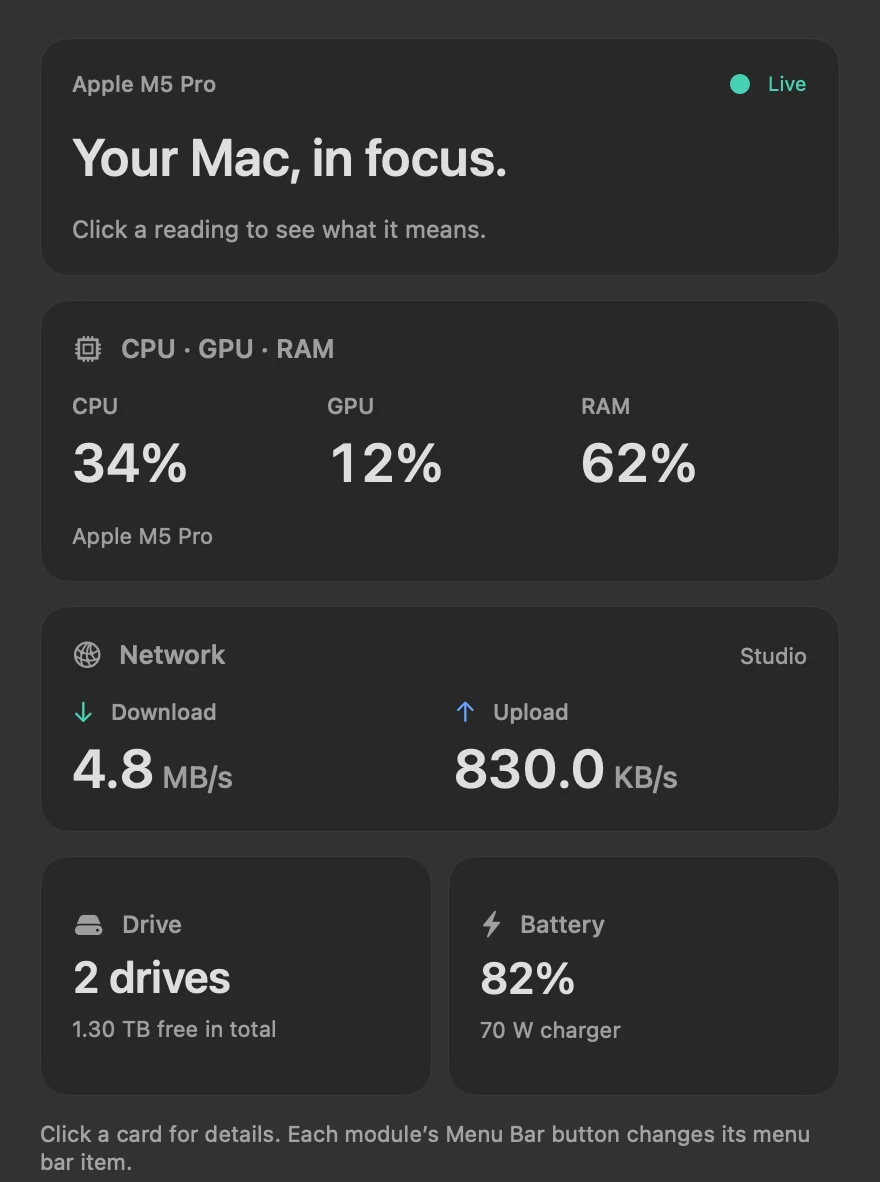

This is Scope Pro, on test data: a made-up Mac, with made-up readings and files.
Private by design.
- Stays on your MacReadings never leave it.
- No accountNothing to sign up for.
- No trackersNo ads. No analytics.
- Files untouchedTests use their own file.
Speed tests.
One click.
Your drive and your internet, measured. Free.
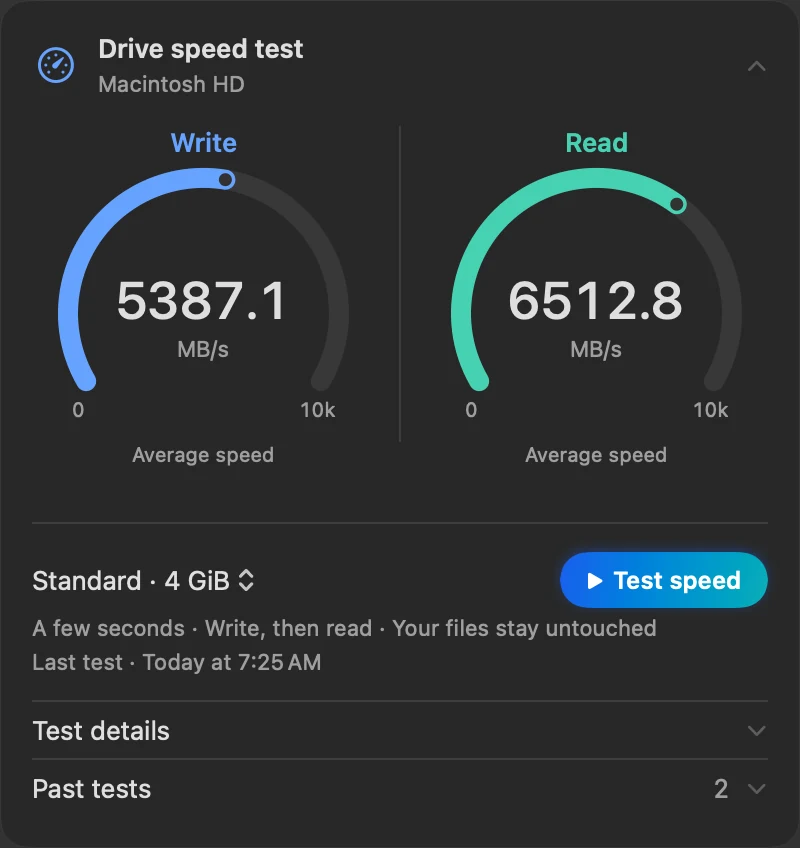
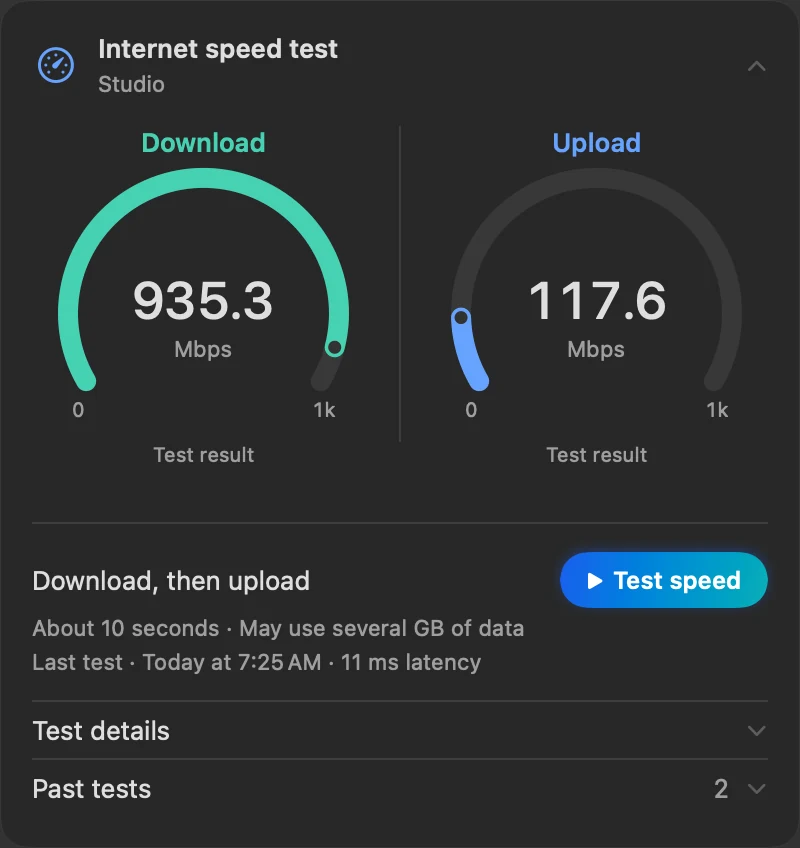
Click Test speed. Your files stay untouched.
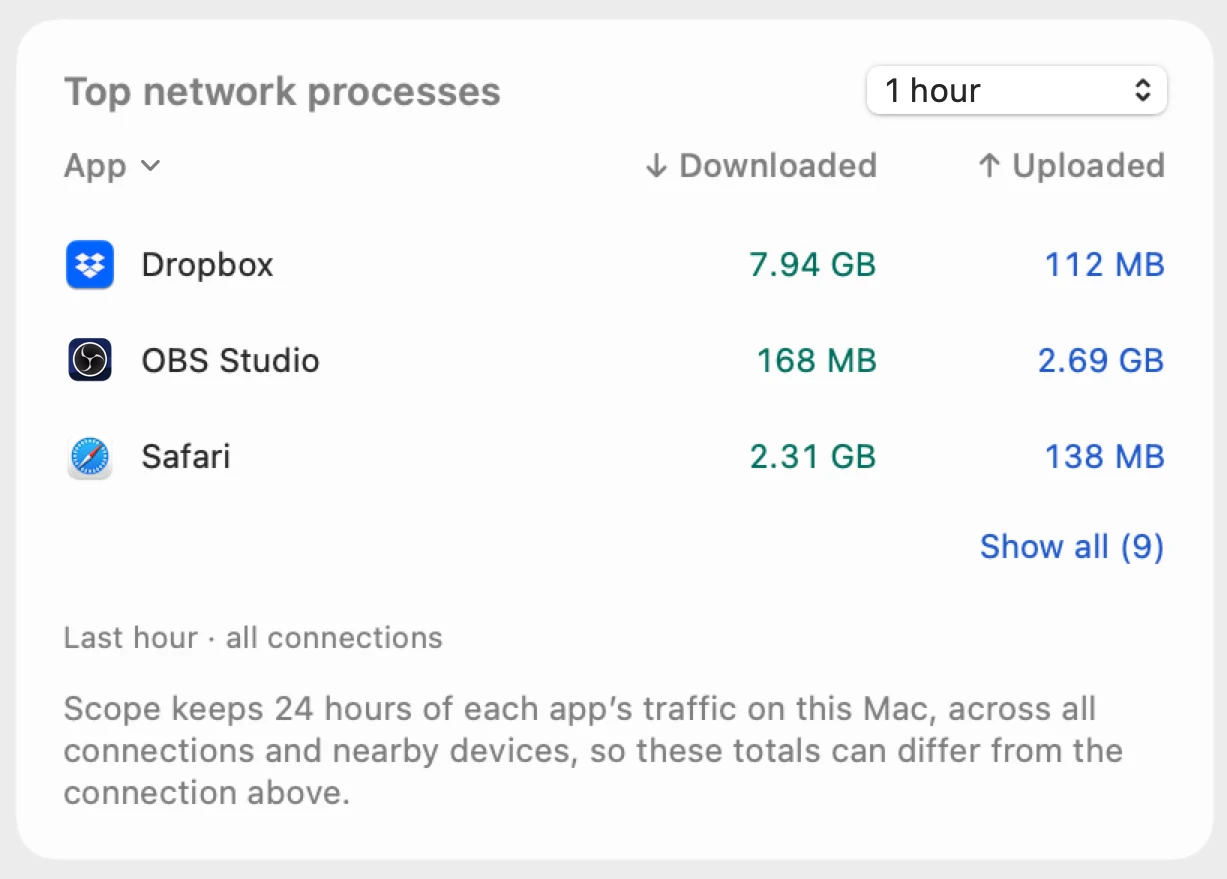
Which app used
your data?
The last minute, free. The whole day, with Scope Pro.
Alerts, only when
it matters.
Scope waits out spikes. Then it says why.
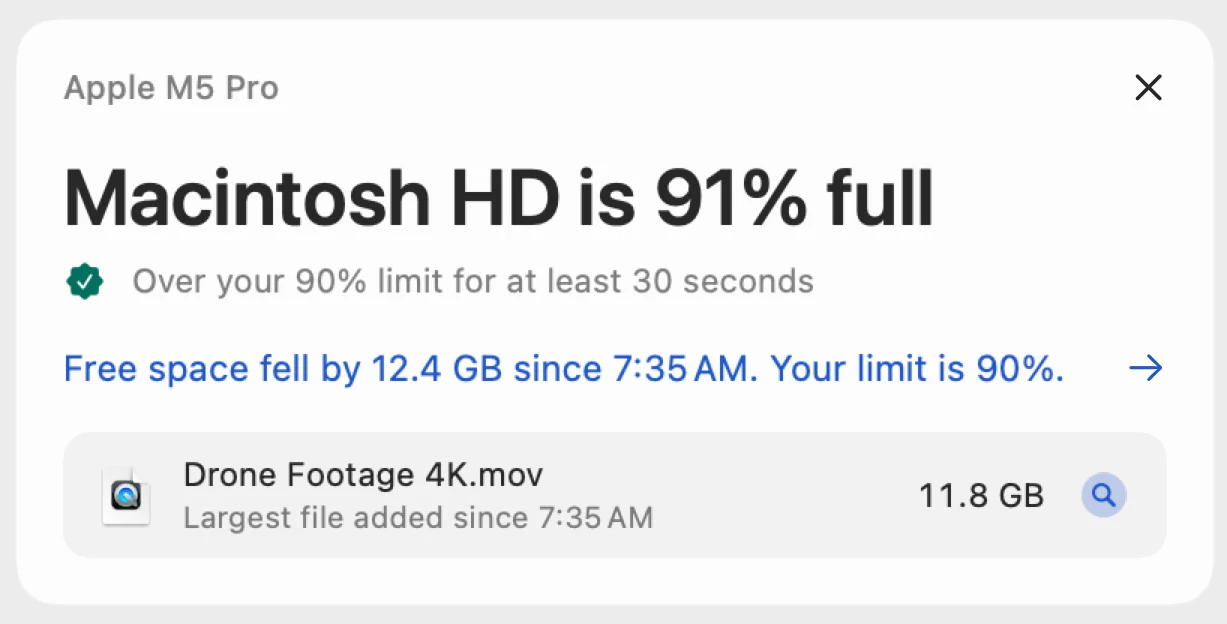
In Scope Free, a lasting problem leads the overview when you open Scope. The red + in your menu bar, what’s behind it with a tip, and the week of alerts, with how long each app kept it going, are Scope Pro
Your menu bar.
Your way.

Every item, live.Scope Pro
Free. Or Pro,
$5.99 once.
Understanding your Mac is free. Keeping watch is Scope Pro.
Scope Free
$0
No time limit · No ads
- Every panel and every reading, explained in plain words
- The Scope icon and one whole menu bar item of your choice
- Charts of the last 1, 5 and 10 minutes
- A drive speed test, an internet speed test, and your largest files
- Data usage for up to an hour, and apps over the last minute
- Alerts on the overview when a problem lasts
Scope Pro
$5.99 once
Launch Price for the first 60 days or first 5,000 customers, whichever comes first. Then $9.99 once.
14-day free trial · No subscription
Everything in Scope Free, and:
- Every menu bar item, live at once
- Readings that stand out past your limits
- Alerts with the red +, the app or file behind them, and a tip
- A week of alerts, and how long each app kept them going
- 24 hours of history for every chart
- Data usage over hours and days, and apps over the day
- Exports: charts as spreadsheets, speed tests as reports
Requires macOS 13 Ventura or later. Runs on Apple silicon and Intel Macs.
What Scope Pro adds Scope Pro

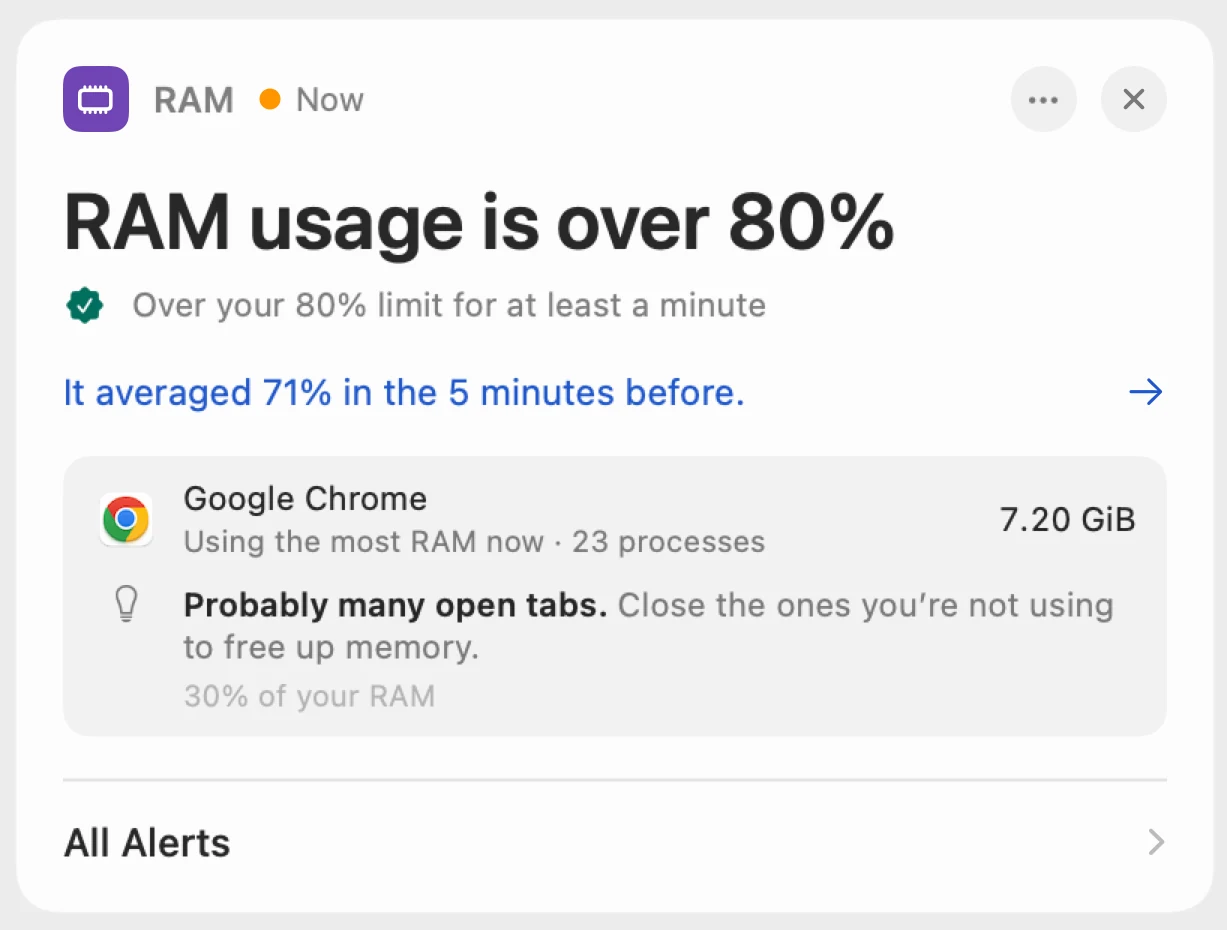
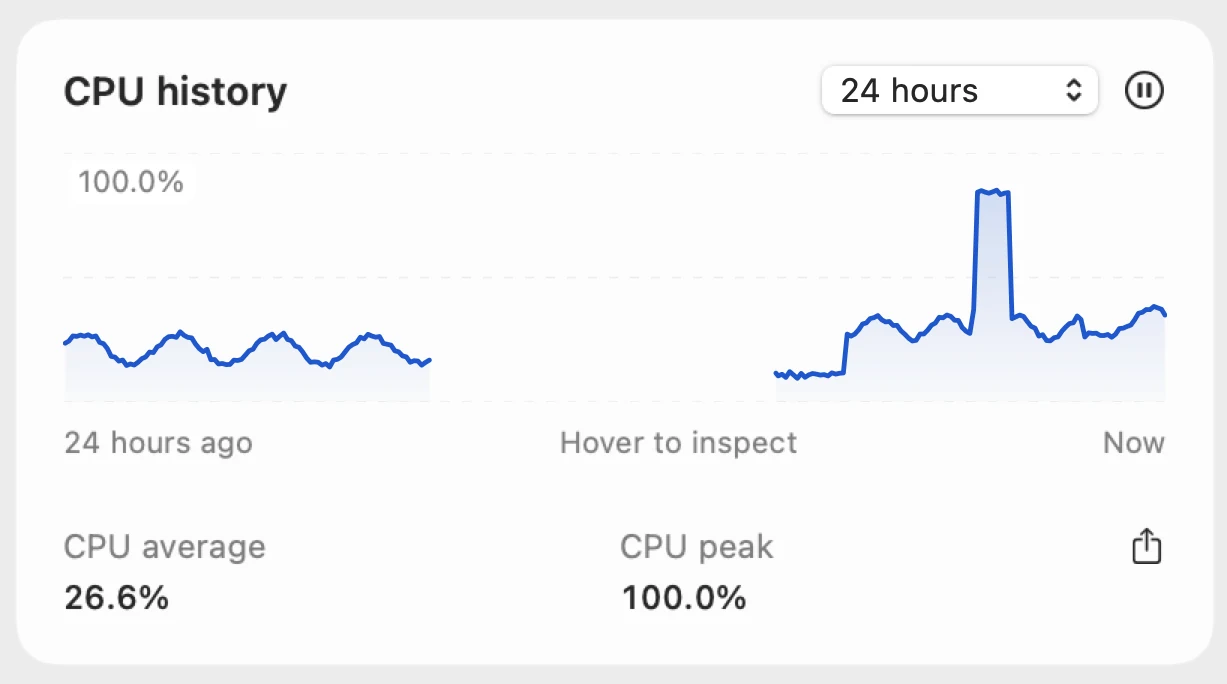
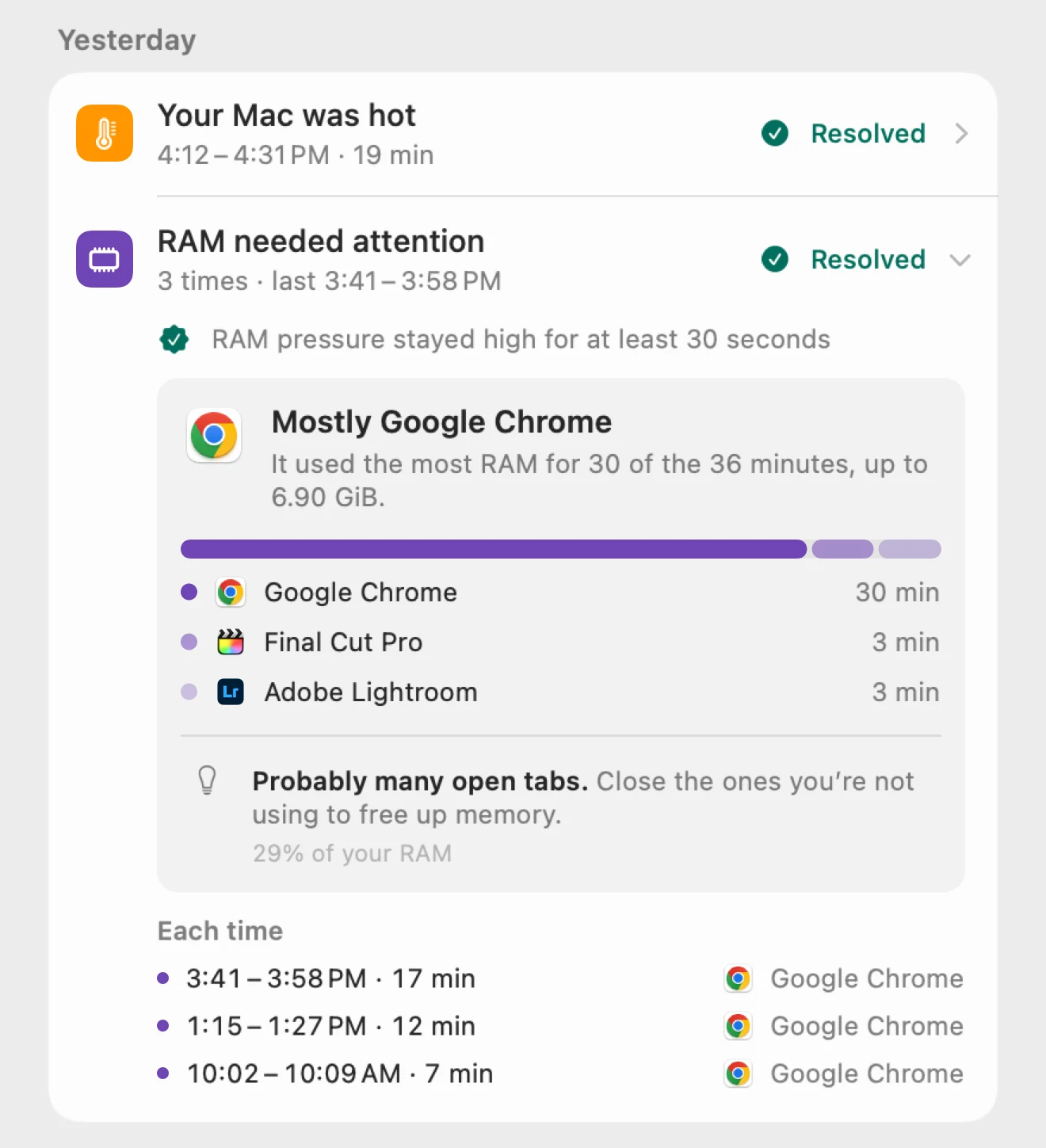
Every part of your Mac.
Explained.
Questions?
What is Scope for Mac?
Scope, also called Scope for Mac, is a free Mac app that lives in your menu bar. It shows CPU, GPU, RAM, drives, network and battery live, explains each reading in plain words, and tests drive and internet speed. It’s coming to the Mac App Store.
Is Scope really free?
Yes. Scope Free has no time limit, no ads and no account: every panel and reading explained in plain words, a drive speed test and an internet speed test, your largest files, network use by app over the last minute, charts of the last 10 minutes, alerts when a problem lasts, and one whole menu bar item of your choice. Those are usually separate apps.
What does Scope Pro add?
Every menu bar item at once, readings that stand out past your limits, alerts with the red + and the app or file behind them, a week of alerts with how long each app kept them going, 24 hours of history for every chart, network use by app over the day, and exports. $5.99 once (Launch Price).
Does Scope Free alert me?
Yes. When a problem lasts, it leads the overview the next time you open Scope, with the check Scope made. Scope Pro adds the red + in your menu bar and names the app or file behind it.
When is usage “high”?
When it stays over its limit for a whole minute: 80% in Scope Free, or the limit you set for each reading with Scope Pro, where the same limit turns the reading red in your menu bar. Each alert says its limit.
Will alerts nag me?
No. An alert waits until a problem lasts, and a problem you saw in the last 12 hours comes back without the red +. A battery or full-drive alert stays one alert while your Mac sleeps and wakes. Nothing done on purpose raises one, like a Time Machine drive filling up, and CPU and GPU usage alerts start off.
Will the price go up?
Yes. $5.99 once is the Launch Price, for the first 60 days or first 5,000 customers, whichever comes first. Then Scope Pro is $9.99 once, and it will never cost less than $5.99 again.
How does the free trial work?
14 days of Scope Pro at no cost. Then Scope returns to Scope Free and keeps your settings. No automatic charge.
Which Macs does it run on?
macOS 13 Ventura or later, on Apple silicon and Intel Macs.
How is Scope different from Activity Monitor?
Activity Monitor, built into macOS, lists every process in a window. Scope keeps your readings in the menu bar, explains each one in a sentence, tests your drive and internet speed, finds your largest files, and tells you when a problem lasts; with Scope Pro, which app or file caused it.
Does Scope show temperatures and fan speeds?
It shows the thermal state macOS reports, from Normal to Critical, and your battery’s temperature. It doesn’t read CPU temperature sensors or fan speeds.
Can Scope clean up or speed up my Mac?
No. Scope shows what your Mac is doing and explains it, and never deletes, moves or changes anything. You decide what to do.
Will it slow my Mac down?
Scope is a native app that reads counters macOS already keeps. Process lists run only while their panel is open, or with Scope Pro every 25 seconds while an alert about an app lasts. With Scope Pro, network use by app is checked every 10 seconds, at about 0.1% of one core.
Can I get a refund?
Purchases go through Apple: request one at reportaproblem.apple.com.
More in Support.
Your Mac,
in focus.
Scope is free. Scope Pro is $5.99 once (Launch Price), with a 14-day free trial. No subscription.